AZORES WEATHER TOOL
Understanding the weather in the Azores is not always as simple as opening a weather app and looking at a rain icon. On the same island, conditions can change significantly between the south coast, north coast, higher areas, lakes, mountains, valleys, and more exposed areas.
The MyAzoresHome Weather Tool was created to help travelers and residents answer a more practical question: where does it make more sense to go today? The tool combines official forecasts, weather warnings, available visual observations, and local zone-based logic to support more useful decisions on the ground.

OFFICIAL FORECAST • VISUAL OBSERVATION • MICROCLIMATES • LOCAL DECISION-MAKING
A dedicated tool for all nine Azores islands
The MyAzoresHome Weather Tool is not just another weather forecast. It is a travel decision-support tool designed to turn weather information, available visual signals, and local knowledge into a more practical reading of the day.
Instead of only telling you whether it may rain, the tool helps you understand which zones may be more favorable, when it may be worth keeping a plan, and when it may be better to choose a more protected, lower, or less exposed alternative.
Coverage is available for all nine Azores islands. Choose your island below and open the dedicated tool:
Choose your island
São Miguel
Useful for choosing between Sete Cidades, Lagoa do Fogo, Furnas, the south coast, the north coast, and Nordeste.
Open São Miguel toolTerceira
Helps you choose between Angra, Praia da Vitória, the north coast, the interior, and more exposed areas.
Open Terceira toolPico
Useful for comparing Madalena, São Roque, Lajes, coastal zones, and higher areas.
Open Pico toolFaial
Helps interpret Horta, Caldeira, Capelinhos, the north coast, and more sheltered areas.
Open Faial toolSão Jorge
A practical reading for fajãs, the north coast, the south coast, higher areas, and island crossings.
Open São Jorge toolFlores
Helps you decide between the coast, lakes, higher areas, waterfalls, and zones more sensitive to fog and rain.
Open Flores toolSanta Maria
Useful for choosing between the south coast, the north coast, beach areas, and zones more exposed to wind.
Open Santa Maria toolGraciosa
A practical reading for Santa Cruz, coastal zones, the interior, Caldeira, and the island’s more open areas.
Open Graciosa toolCorvo
Helps interpret a small island where wind, visibility, altitude, and local conditions can strongly affect the day.
Open Corvo toolWhy is this tool different from a normal weather app
Weather apps show forecasts. The MyAzoresHome Weather Tool aims to solve a different problem: turning forecasts, available visual observations, and local logic into practical decisions for people in the Azores.
| Normal weather apps | MyAzoresHome Weather Tool |
|---|---|
| Show a general forecast for a place or island. | Organizes the reading by useful zones within each island. |
| Give rain, sun, wind, or cloud icons. | Helps you understand whether a zone may make sense in the real day. |
| Were not designed to help decide travel itineraries. | Was designed for people choosing between viewpoints, lakes, coastline, mountains, natural pools, and more sheltered alternatives. |
| Mainly answer: “will it rain?” | Answers the more useful question: “where does it make more sense to go today?” |
| Often treat the island as a generic point. | Considers microclimates, altitude, exposure, coastlines, and local reading. |
How the analysis works
The tool does not replace the official forecast. It adds a practical interpretation layer to support better decisions on the ground.
1. WEATHER DATA
Forecasts and warnings
Official forecasts and weather warnings serve as a basis for understanding the day’s general context: rain, wind, cloud cover, instability, and weather risk.
2. VISUAL OBSERVATION
Complementary reading of the ground
Whenever useful visual signals are available, the tool uses that layer to support the day’s reading. In the Azores, this matters because local reality can vary significantly between nearby zones.
3. LOCAL LOGIC
Zone-based interpretation
The analysis considers the realities of each island: higher areas, north and south coasts, viewpoints, lakes, mountains, wind exposure, and more protected alternatives for unstable days.
How to use the Weather Tool in 1 minute
- 1) Choose the island where you are or where you plan to travel.
- 2) Read the zone-based interpretation instead of deciding only from the general forecast.
- 3) Consider rain, wind, cloud cover, altitude, visibility, and exposure.
- 4) If the day is unstable, use the tool to choose a more logical alternative instead of forcing a rigid itinerary.
Why weather in the Azores need a different reading
In the Azores, a general forecast rarely tells the whole story. Volcanic geography, altitude, slope orientation, proximity to the sea, and wind exposure can create relevant differences within the same island.
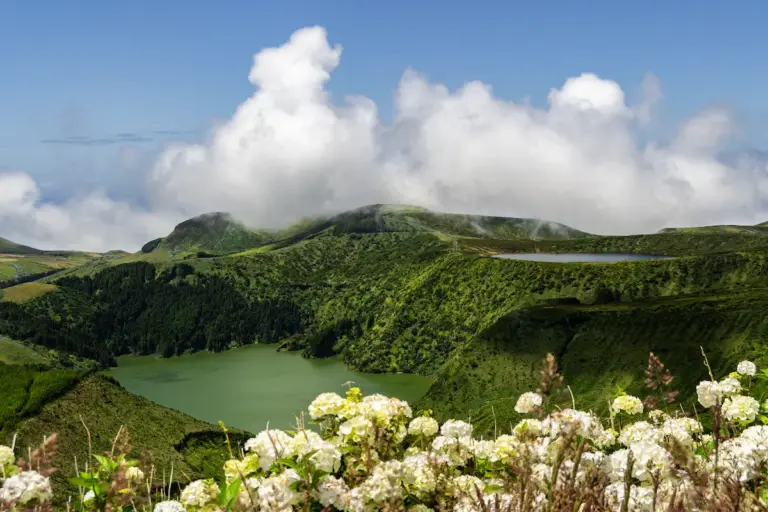
In practice, a lake or viewpoint at altitude may be closed in by fog, while a coastal zone remains usable. One coast may be more exposed to wind, while the other is more sheltered. A plan may make little sense in one area but be perfectly viable in another.
That is exactly why the Weather Tool was created: to move from a generic weather reading to a more useful, local, and decision-oriented reading.
Who is it useful for
TRAVELERS
Better decisions during the trip
It helps avoid poorly used days caused by an overly generic forecast. Instead of giving up on the plan, you can look for a more favorable zone.
ACCOMMODATIONS AND PARTNERS
More value for guests and customers
The tool can be shared with guests and customers to help explain microclimates and reduce doubts about activities, tours, and day-by-day movement.
RESIDENTS
A quick reading of the day
Even people living in the Azores can use the tool as a quick support layer to choose between zones, times, and alternatives on unstable days.
CHOOSE THE ISLAND • READ THE ZONES • DECIDE BETTER
Open the tool for the island you are visiting
Choose the island, read the zone-based interpretation, and use the Weather Tool as support for planning your day in the Azores.
Complementary resources
How weather works in the Azores
The base article to understand microclimates, differences between zones, and why the general forecast is not always enough.
Read article →Deals and partners in the Azores
Local companies, experiences, car rentals, and useful services to help organize your trip better.
See partners →How to plan a trip to the Azores
A practical guide to choosing islands, planning transport, booking activities, and making better use of your days.
See guide →Useful tools to plan better in the Azores



Frequently asked questions
Does this page only show the weather forecast in the Azores?
No. The MyAzoresHome Weather Tool goes beyond a generic forecast. The tool combines weather data, warnings, available visual observations, and local zone-based logic to help you decide where to go better.
What is the main value of the Azores Weather Tool?
Its main value is turning official forecasts, available visual observations, and local knowledge into a practical decision: which zone of the island makes more sense today, when it is worth keeping a plan, and when it may be better to choose an alternative.
Does the tool replace IPMA or official forecasts?
No. The tool does not replace official forecasts or weather warnings. It uses that information as a base and adds a practical, local interpretation layer to support the traveler’s decision.
Does the tool use visual observation?
Yes. Whenever useful visual signals are available for the zone being analyzed, that layer may be considered as support for interpreting the day. The goal is to better understand the local reality, without replacing the official forecast.
Which islands is the Azores Weather Tool available for?
The MyAzoresHome Weather Tool is available for all nine Azores islands: São Miguel, Terceira, Pico, Faial, São Jorge, Flores, Santa Maria, Graciosa, and Corvo.
Is the tool useful only for tourists?
No. Although it was primarily created to help people visiting the Azores, it can also be useful for residents, accommodations, tourism partners, and local operators who need to better interpret the day by zone.